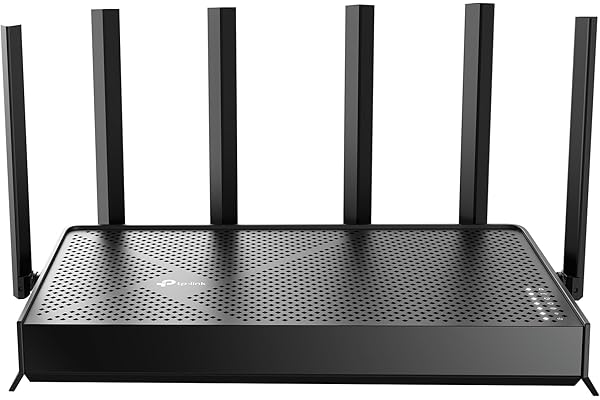
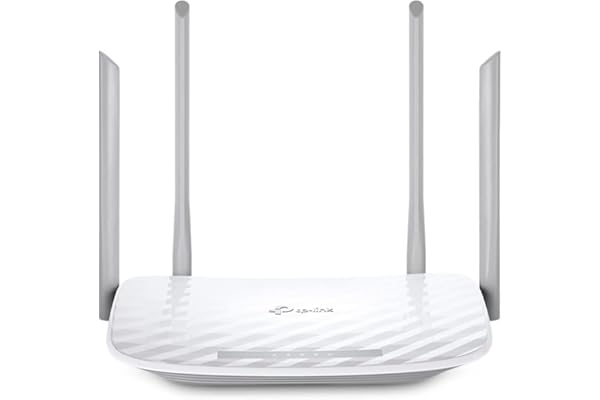
TP-Link AX1800 WiFi 6 Router (Archer AX21) – Dual Band Wireless Internet, Gigabit, Easy Mesh, Works with Alexa – A Certified
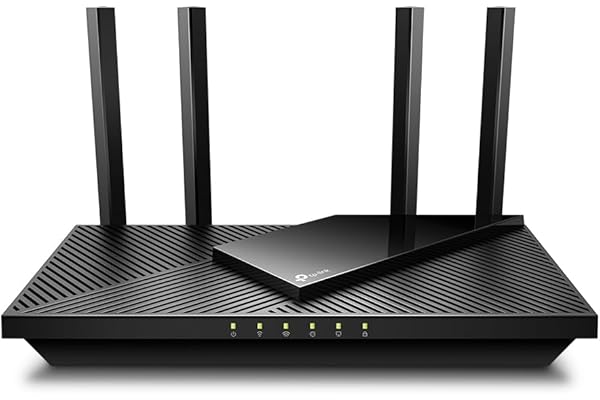
Price: $52.22
What Customers Say:
-
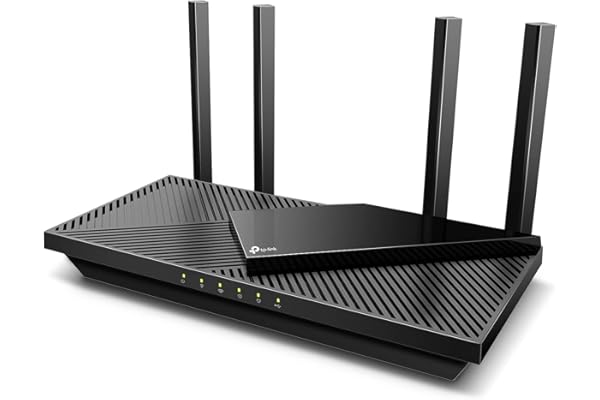
MichaelA Spectrum Internet Customer’s Point-Of-ViewAs A Spectrum Internet CustomerI had a Spectrum Advanced WiFi router that does 2G and 5G on the same WiFi network. There is not a way to split the networks in two. If you have a cell phone that is compatible with device steering and you use to connect your 2G devices to, you can call or chat with their Internet Repair support team to set up a feature on your cell phone that may allow the 2G devices to connect but it can be a hit or a miss and it’s too much of a hassle to keep calling/chatting to set this up with as the feature is enabled for only sixty minutes. If the 2G device is connected before the hour is over, it will remain connected but if it’s not, you’ll need to reach back out to try again and you’ll also need to reach back out for other new 2G devices only that don’t automatically connect to the 2G network.This is a major flaw for an “Advanced” WiFi router. Customers paying a monthly $5 fee to lease their routers should be able to either split the networks in two or leave them as a single network for band steering. Outside of this, the Spectrum routers are fine. However, it’s just better to get your own router.It would be great if they offered more advanced routers with more features such as VPN’s, hiding network SSID, splitting the 2G and 5G networks, guest network and more. I’d pay $5 more a month on top of the already $5 charge for this. This way customers can select which router they need for their home and still get customer support for it.As A New Customer For Echo Dot’sThis is the reason why I purchased my own router. I purchased four Echo Dot’s, 5th generation, ’22 release. All of them connected to the Spectrum WiFi router without issue and individually they operated great. However, the Echo Dot’s have a “multi-room audio” feature where you can play music all throughout your home. This was my entire reason for getting these in the first place. This feature was a hit or miss. Sometimes it would work but most of the time only one or two would work and trying to get them all re-paired so I could say, “Alexa, play Discover Weekly from Spotify everywhere,” was a huge inconvenience and took too much time.After going online and reviewing forums such as Quora and Reddit, I could see what the issue was. The Spectrum WiFi router would switch them between 2G and 5G based off of interference and signal strength throughout the day and if even just one Echo Dot was on a different network than the others, it would throw off the multi-room audio so that it wouldn’t work. So the hunt for a dual band router began.TP-Link AX1800 WiFi 6 Router (Archer AX21) ReviewThe TP-Link AX1800 Router has been amazing so far. It arrived on the same day that I ordered (Thank you Amazon and of course, most of all, the delivery drivers). When it first came in, the first thing I noticed was how ridiculously light it was which kind of made me nervous about the purchase. The router itself came very nicely packaged, nothing was damaged.I followed the instructions to the letter but the router was not showing any lights on there after plugging it in once the Internet modem came back online. I re-read the steps again and re-checked the power connections and tried unplugging from both ends but not luck. I honestly thought I got a dud. I looked on the back of the router and saw a button and pressed it in; all the lights began to show and I could begin the setup process.I use an iPhone and when I pulled up the TP-Link App to set up the router I couldn’t help but notice its low star rating so I opted not to download the app and instead login using the IP address (the instructions provide you with this information and how-to as well). This is my first time ever logging into a WiFi router without the use of a mobile app and I have to say, it is significantly better and heavily preferred. I was able to turn off TP-Link Smart Connect so that I could have two separate SSID’s for the 2G and 5G network. I could also see there was a whole new host of features that I did not have prior such as hiding your WiFi networks from neighbors and having a guest network.I also did a speed test and they all came back higher than normal and my computer noticeably moves faster when browsing the Internet and streaming video despite being roughly around the same speeds (before it was around 310mbps download/9mbps upload; now it is at around 360mbps/13mbps upload). Maybe the 50mbps DL and 4mbps UL makes a huge difference. I’m not entirely sure. I believe the difference really comes from the router provider a more stable/stronger connection than the Spectrum router. The signals itself are just healthier now.I also like that the TP-Link router has antennas, four of them to be exact, that you can see. The Spectrum routers don’t have these and if they do, they’re within the router itself. I believe routers with antennas that you can visibly see operate better and send stronger signals.Did This Resolve My Issue With The Echo Dot’s?It absolutely did. I re-connected all four Echo Dot’s to the 2G network, which was kind of a pain as well to do (but well worth the time and effort; it would’ve been significantly easier to do if I originally connected them to a dual band router in the first place) and ever since then I have had no issues with multi-room audio. Anytime I want to play music from all four Echo Dot’s at the same time, they all play without issue. Which is great because I plan on purchasing more for a more surround system environment.Final NotesIf you need a dual band WiFi router that is able to split the networks in two so that you can sign into them separately, this is it. And honestly, if you have a Spectrum router, this is a major upgrade for a fraction of the cost. Just make sure you keep it clean of dust, and keep it in a well-ventilated and cool area of the home and this will easily last you 2+ years. It saves you money and it works better. It’s honestly a no-brainer.There is also a common misconception with spotty/slow Internet speeds. The majority of signal issues do not come from cable lines (confirm with your ISP provider first though that the signal levels look healthy coming into and from your Internet modem) but come from the equipment itself (modem and/or router) or from the devices you are using (assuming it is only occurring on one or two devices). Which is why upgrading your WiFi router and/or Internet modem can resolve the issues.I honestly don’t have any issues with the Spectrum Internet modems. I think they’re fine. They all come pre-built, meaning, you can’t change any settings on them. Not a deal breaker for me. However, honestly, if I didn’t have a Landline service with them, I would’ve purchased my own modem as well and long-term wise I will definitely consider it. The Spectrum Internet equipment are fine for the majority of homes. However, there is no one size fits all and if you’re having issues with your equipment whether due to the lack of features available or signal issues (and confirmed with their Internet Repair team that there are no signal issues coming from the lines), this TP-Link router is an exceptional purchase.
-
Luis H.Great ProductSolid router. Works well with my PfSense box I setup. I am using it as an access point, no fuss, it just works. Looks great and it’s fast, exactly what I wanted.
-
Jeff McWorks great and fast!Easy to set up, only took minutes. Simple, easy understand directions. Quality of it seems good. Picks up way out from my house, so the range is really good on it. Downloaded the app to use the features of it and to set up security features and such.
-
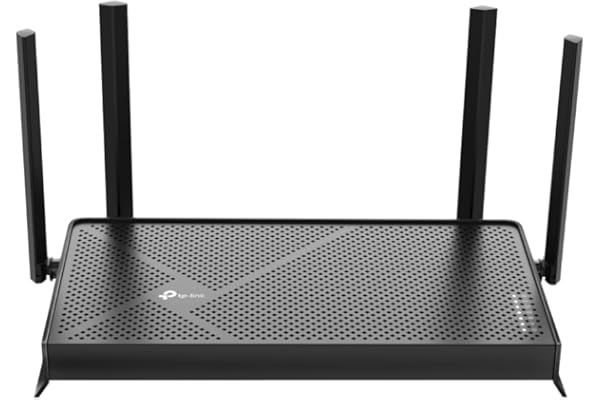
Rudyaffordable, customizable, intuitive, great app, what’s not to like?I would consider myself a novice when it comes to routers and networking. I can do simple tasks (network set up) adding removing devices..etc changing passwords etc. For the past few months, i have been on the fence about replacing my ISP provided router, so i took the plunge and orderd this model (archer ax21).my old netgear router (supplied by my ISP (charter spectrum) died back in november and I called customer service and they sent me a new “advanced wifi” router. that router was complete garbage, ISP’s don’t even let customers go in and modify their own home wi-fi networks. if you type the ip address for the router, it directs you to a page that says “login using the spectrum app”. well, their app only allows you to change the SSID name and password..NOTHING ELSE. very frustrating. ISP provided routers now combine the 2.5ghz and 5ghz bands, and many of my devices are older and ONLY use the 2.5 ghz band. so, natrually there were conflicts and frequent disconnects. I also own a accurite iris 5 and 1 weather station. in all my years of using a pc and wireless networks.. I have never seen or had a device that is so tempermental. I needed to be able to isolate the 2.5ghz and 5ghz bands so that i could assign specific devices to each band. the older things go on the 2.5ghz, and newer things like ipad, smart tv, xbox one..go on the 5ghz band.setting this up was very straight forward. simply power down your ISP modem, and reboot. wait for everything to reboot and ensure you have internet connectivity through the modem. then plug ethernet cable from back of modem into the WAN port on the Archer X21 router. then power up the router and wait for all the lights to turn green. takes about 1-3 minutes tops.you can set up either via APP (which is what i did), or you can set up using pc with ethernet cable.I have a chromebook, so it has no eithernet jack. i actually ordered one on amazon, it’s a usb to ethernet adapter. works like champ. but for most people you should be able to set up just using the app.. if you want to do more advanced things (dchp customizations, etc) i would set it up on the webpage through the ethernet connection.simply follow the instructions from the app, enter your new network name and new password and you will be good to go.the app shows each device connected on each network as well as real time uploads/downloads so you can see if there is a issue with a particular device. if you are having issues with devices disconnecting/reconnecting/slow speeds etc. i would suggest at the start that you DISABLE the 5ghz band. after you get everything connected and confirm that the devices are working, then go ahead and re-enable the 5ghz band. for some reason, (not sure why) on inital setup there can be conflicts.there are tons of options for this router, far to many to get into much detail for this review. go ahead and download the manual prior to purchase, so you can read up on what this router can/can’t do before you purchase.you can actually update the firmware over the air by hitting the update button, or you can speciify a certain time of day for the updates to be installed. a good rule of thumb would be set it to sometime after midnight that way, you will be asleep more than likely when the updates happen. out of the box, mine needed a firmware update. took less than 5 minutes.i’ve had/currently have other tp-link products (smart bulbs/cameras) and they all work as expected.the app is very intuitive and straight forward. i didn’t have to have any special settings from my ISP, i just plugged in the router, went through the setup, and everything connnected flawslessly on the FIRST attempt. no errors/timeouts etc that i was getting with my ISP supplied router.the router is sleek and has 4 antennas. my range is about the same as with my previous isp supplied router. currently have a linksys re6300 extender out here in the living room to boost the 5ghz band. my house isn’t that big but is very old. (its a single wide from early 70’s with A-Frame roof). so i think my signal loss has alot to do with the aluminum siding on my house. your range/results will obviously vary.I currently have 16 devices on my network and all are staying connected flawlessly and seem faster than with the ISP supplied router.there is also a option for guest network. I’m using that for guests and my accurite weather station.hoping this will help me troubleshoot the accurite when the inevitable disconnects start.also wanted to mention that the accurite iris 5-1 weather stations are full of problems. if your considering one, go with another brand. it’s not worth the headache.the only reason i took a star off was becase the antennas on the back of the router were wrapped in plastic that was hard to take off. other than that, i think this router is perfect. it’s affordable, has tons of options and doesn’t have performance issues that ISP supplied routers do. pick one up today, i’m sure glad I did.***update 9/24/24*** 1 year and 8 months later, router still performs PERFECTLY! no issues at all, adding static ip addresses to devices is very easy, and great connectivty. never had one single issue with this router. i have multiple devices across both bands (2.5ghz and 5ghz) and i haven’t had any problems, even my nightmare accurite weather station works perfectly. the key to that device, was connecting it to the 2.5ghz guest network by itself. may want to keep this in mind for devices that are giving you trouble, i have found by isolating troublesome devices, they tend to stay connected when connected by themselves. this router offers many options, lots of them i don’t even use. even after multiple power/interent outages, once power/service returns, everything reconnects in less than a minute. every tp link product ive ever owned has performed perfectly. great job tp-link!update 3/27/25*** so nice, i bought it twice! my nephew has moved in next door to assist me in caregiving for my 77 year old mother with dementia. they have charter spectrum service over there just like I do at my house.the charter spectrum supplied routers, continue to be complete trash. I needed to be able to assign security cameras and other devices to the 2.4GHZ network, and for some stupid reason, charter spectrum doesn’t allow you to do that with their equipment. not sure why but it is what it is. so i got another one of these routers 2nd hand. plugged it in, added to tether app, no problem. however, it would only stay connected for about 8-12 hours and then drop the connection. turned out, charter spectrums POS supplied modem was the issue, technician came out and replaced the modem. for some reason, if your router is set to FASTER bandwith speed, then charter spectrum modem will just randomly disconnect. looking around on some forums, i found that i could adjust the bandwith settings on the router. I changed the settings to 100mpbs (the speed tier plan on the account). that, in combination with the new modem seems to have worked. i never had this issue with the 1st router i set up at my house, and it’s the same ISP. very weird, but in the end, it all worked out.
TP-Link AX1800 WiFi 6 Router (Archer AX21) – Dual Band Wireless Internet, Gigabit, Easy Mesh, Works with Alexa – A Certified is one of the best-selling products with 23172 reviews and a 4.4/5 star rating on Amazon.
Key Features:
VPN SERVER: Archer AX21 Supports both Open VPN Server and PPTP VPN ServerDUAL-BAND WIFI 6 ROUTER: Wi-Fi 6(802.11ax) technology achieves faster speeds, greater capacity and reduced network congestion compared to the previous gen. All WiFi routers require a separate modem. Dual-Band WiFi routers do not support the 6 GHz band.AX1800: Enjoy smoother and more stable streaming, gaming, downloading with 1.8 Gbps total bandwidth (up to 1200 Mbps on 5 GHz and up to 574 Mbps on 2.4 GHz). Performance varies by conditions, distance to devices, and obstacles such as walls.CONNECT MORE DEVICES: Wi-Fi 6 technology communicates more data to more devices simultaneously using revolutionary OFDMA technologyEXTENSIVE COVERAGE: Achieve the strong, reliable WiFi coverage with Archer AX1800 as it focuses signal strength to your devices far away using Beamforming technology, 4 high-gain antennas and an advanced front-end module (FEM) chipsetOUR CYBERSECURITY COMMITMENT: TP-Link is a signatory of the U.S. Cybersecurity and Infrastructure Security Agency’s (CISA) Secure-by-Design pledge. This device is designed, built, and maintained, with advanced security as a core requirement.WORKS WITH ALL INTERNET SERVICE PROVIDERS: Such as Comcast, Charter, AT&T, Verizon, Xfinity, Spectrum, RCN, Cox, CenturyLink, Frontier, etc.BUY WITH CONFIDENCE: Our highly trained support team is ready to help resolve any setup or WiFi issues at +1 866-225-8139. For best performance: ensure that you are on the latest firmware by checking your Tether app.
Product Specifications:
Brand: TP-LinkModel Name: Archer AX21Special Feature: BeamformingFrequency Band Class: Dual-BandWireless Communication Standard: 802.11ac, 802.11ax, 802.11b, 802.11g, 802.11nCompatible Devices: Gaming Console, Personal Computer, Smartphone, TabletRecommended Uses For Product: HomeIncluded Components: Power Adapter, Quick Installation Guide, RJ45 Ethernet CableConnectivity Technology: Ethernet, Wi-FiColor: Black
Current Price: $52.22